
Eagle_eyes
New Member
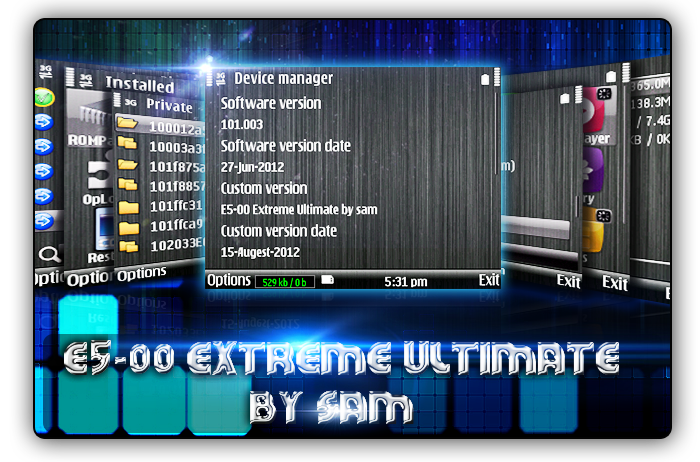
E5-00 Extreme ultimate by sam (RM-632:v101.003)
 go to my previous thread for more details
change log:

Password:
note before flashing:
all steps are same as before.But,
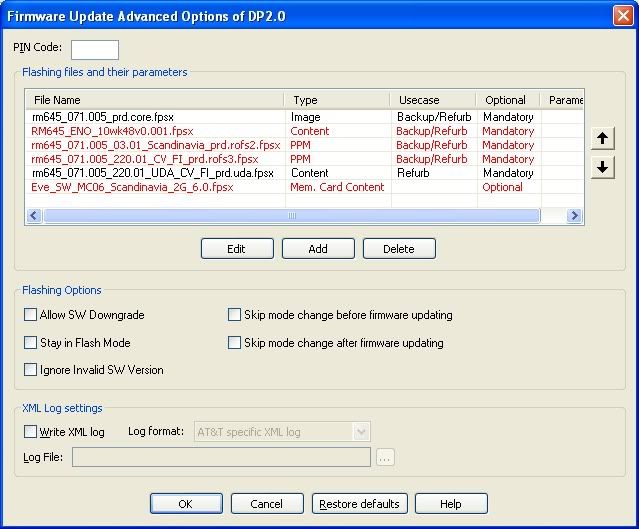
Before pressing Refurbish, go to
option-delete all files Except uda and core.
See
*****************
Waiting for your feedback, Thanks
change log:
- Languages: English only
- default theme effect changed
- 6 Theme effects to ROM
- Phone memory extended to 365 MB
- auto installation after flashing
- Hide your secret files:rofl: from Gallery,move files to E:\\hidden\
- 180 MB RAM at startup (may different on your phone)
- Call Logs to 999 days
- EA Game removed from ROM
- new Apps to ROM: keylock,S-cleaner and MiniCMD
- English is the default language
- 22 menu views
- shutdown tone removed!
Password:
E5-00 Extreme series
note before flashing:
-
[*] remove memory card password if you have set it.
[*] download Data.zip and extract data folder to Memry card using X-plore (pass of link=sam)
[*]remove E:\\patches folder before flashing
[*] you need not to delete private,resource,sys and system folders before flashing, my firmware will automatically do it.
[*]don't forget to take ups using the 'backup' software.
[*] move contacts.cdb and contacts.gdb from C://private/10003a73/ to E:/data/backup/ (retain your contacts)
[*] move C://private/1000484b/ to E://data/backup/ (never lose your messages)
all steps are same as before.But,
Before pressing Refurbish, go to
option-delete all files Except uda and core.
See
How auto installation after flashing works
first remove memorycard password if you have set it.
Then goto memorycard
create directories like:
E://data/install/C/
put your apps inside this folder
and rename them to 1.sis,2.sis,etc
you can add 15 apps to this folder
their name should be
1.sis to 10.sis and 1.sisx to 5.sisx
These apps will be installed to your phonememory after flashing completed!
Also you can add apps which can be installed to Memorycard, just put your apps to
E://data/install/E/
here too you can put 15 apps in this folder,
their name should be same as i mentioned above.
You can PM if you don't understand or you can contact me via mail too.
Hope you have enjoyed this release, need your openions,suggestions,complaints,appreciations,etc so that i can improve my work.
Regards,
sam
*****************
Waiting for your feedback, Thanks